WFS(web feature service) user documentation
Here are instructions on how to use our WFS service with QGIS
Adding a new WFS Connection in QGIS
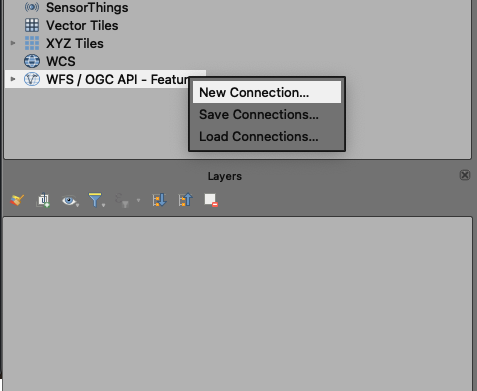
Under WFS/OGC API - Features, select New Connection...
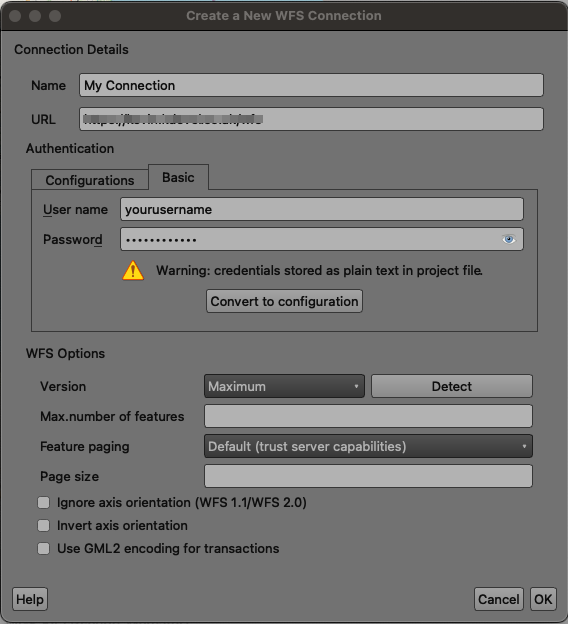
Fill in the details as follows:
Name: A name for the connection (eg. "My WFS Service")
URL: The URL to the WFS service https://your-kaarbontech-website-address/wfs (eg.
https://demo-gully.kaarbontech.com/wfs)Authentication: Select Basic and enter your username and password you use to log into the KaarbonTech website
Clicking "Detect" should populate the version and other fields as well as getting the available layers from the WFS service.